Bulk Google Index Checker

30% OFF Use INDEX30 — Get 30% Off
00 Hours
00 Minutes
00 Seconds
Claim Deal

Free Bulk Google Index Checker

Maximize your website’s visibility with our free bulk Google index checker tools. Instantly see which pages are indexed by Google and access real-time SEO insights. Want even more? Try all the advanced Pro features and take your indexing to the next level.

🔓 FREE PLAN

Free Index Checker

Check up to 27 URLs at once - No signup required

0 / 27 URLs
⚠️ Maximum 27 URLs allowed. Please remove some URLs to continue.
Free Features:
Check up to 27 URLs per session
Instant index status results
No registration required
⭐ PREMIUM FEATURES

Unlock Full Power

In our Premium plan, you get:

  • Free Force indexing request using API
  • Indexability checking permission
  • Check up to 200 URLs for free
  • Instant index status check
  • Bulk or unlimited pages (URL) checks
  • Auto-scheduled rechecks
  • Schedule: daily, weekly, monthly, or custom day
  • Stay updated on every index status change — newly indexed, de-indexed, or consistent
  • Real-time index tracking with instant email notifications and CSV exports
  • Sitemap/CSV import
  • Clean CSV exports
  • API access
  • One-time payment — Lifetime Deal available

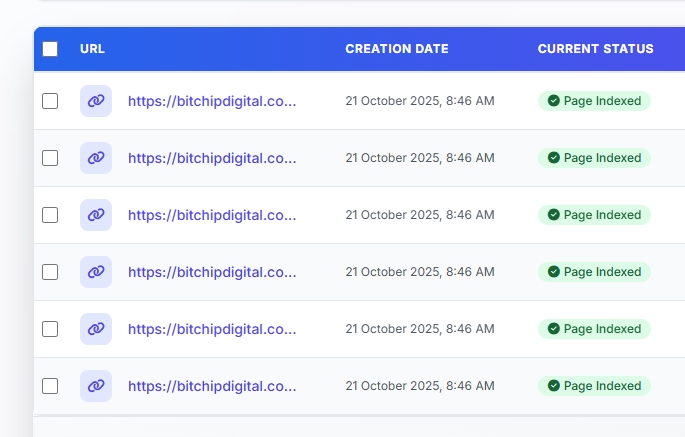
Index Status Results

0 Indexed
0 Not Indexed
# URL Status Checked (UTC)

Powerful Features to Instantly Check Index

Our index checker tools offer everything you need to manage, monitor, and optimize your website’s indexing status to improve SEO performance.

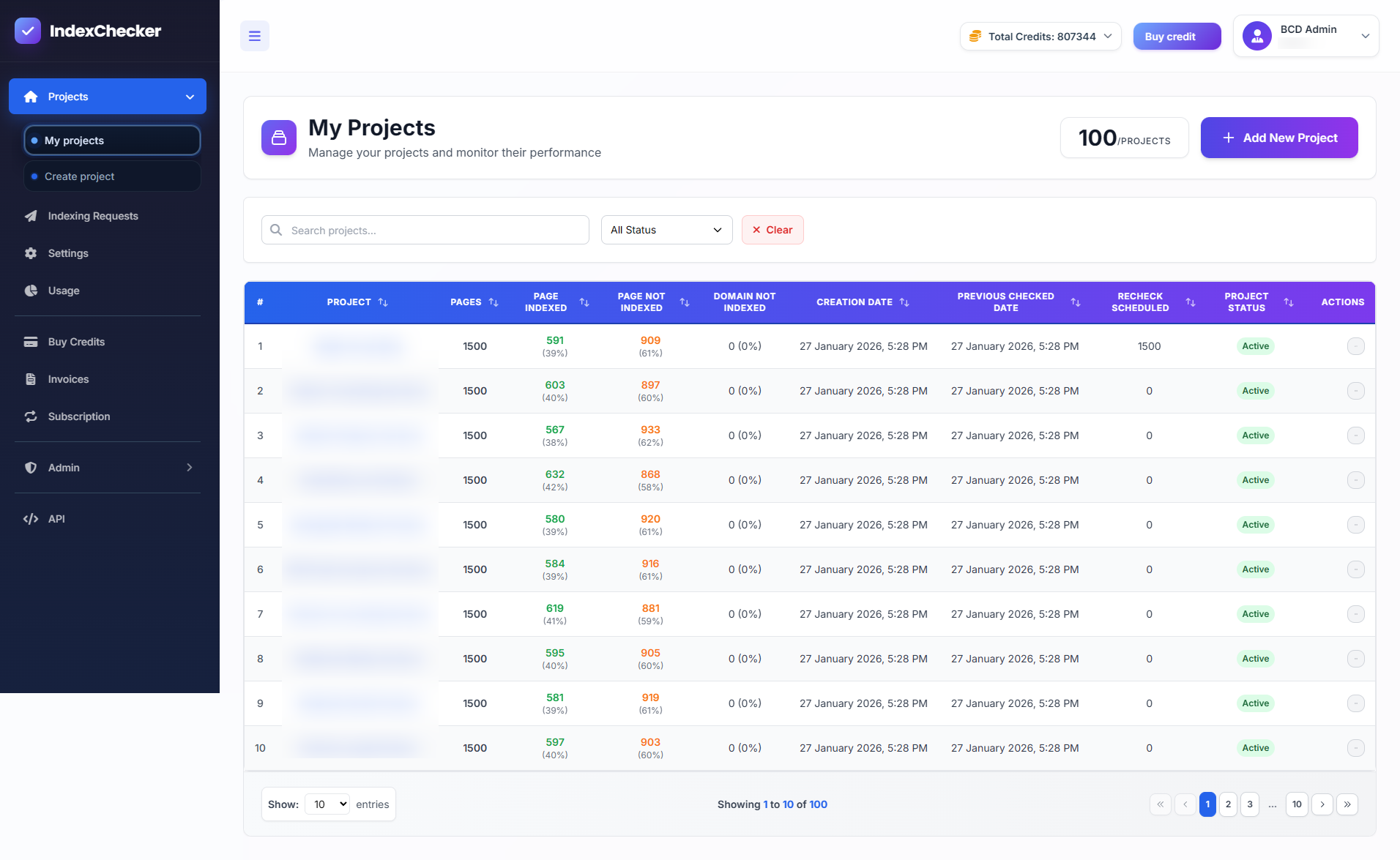
My Projects

Organize and Monitor with Projects

With the Projects feature on IndexChecker.io, you can easily manage all your website indexing checks from a single, unified dashboard. Create dedicated projects for each website, campaign, or client, and group unlimited URLs by domain for streamlined organization. Track indexing status over time, schedule rechecks, and monitor historical performance trends so you never miss important changes. Projects make it simple to import URLs in bulk, customize project details, and get clear, actionable insights on which pages are indexed or need attention—helping you stay organized, save time, and optimize your SEO efforts across multiple sites or campaigns.

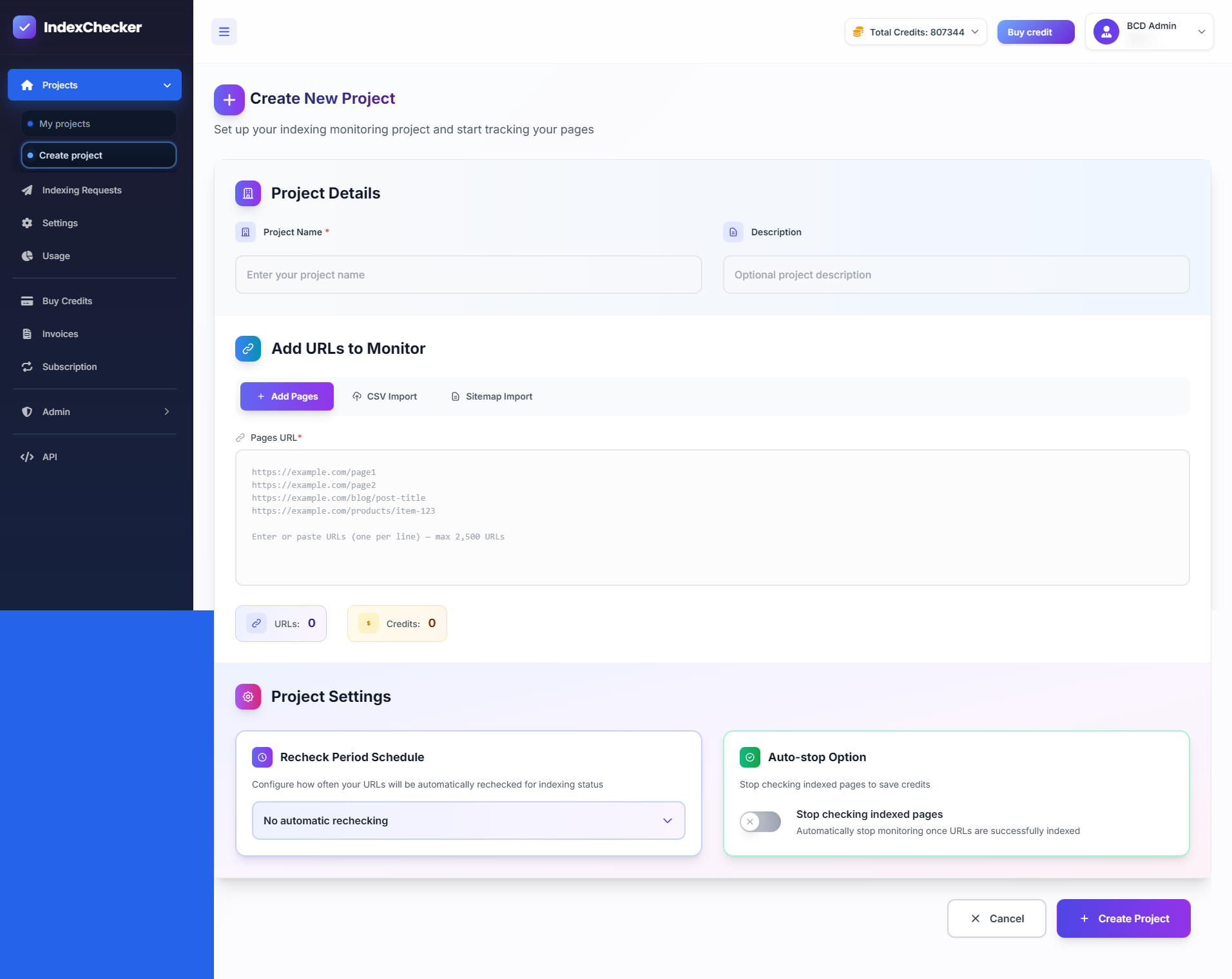
Create Projects

Effortlessly organize your indexing tasks by creating new projects for every website or campaign. With IndexChecker.io, you can easily set a project name, add a description, and bulk import URLs using direct input, CSV, or sitemap. Start monitoring thousands of pages in just a few clicks, keep your data grouped for easy management, and track each project’s indexing status, credits, and progress—all from a single, intuitive dashboard.

Create Projects

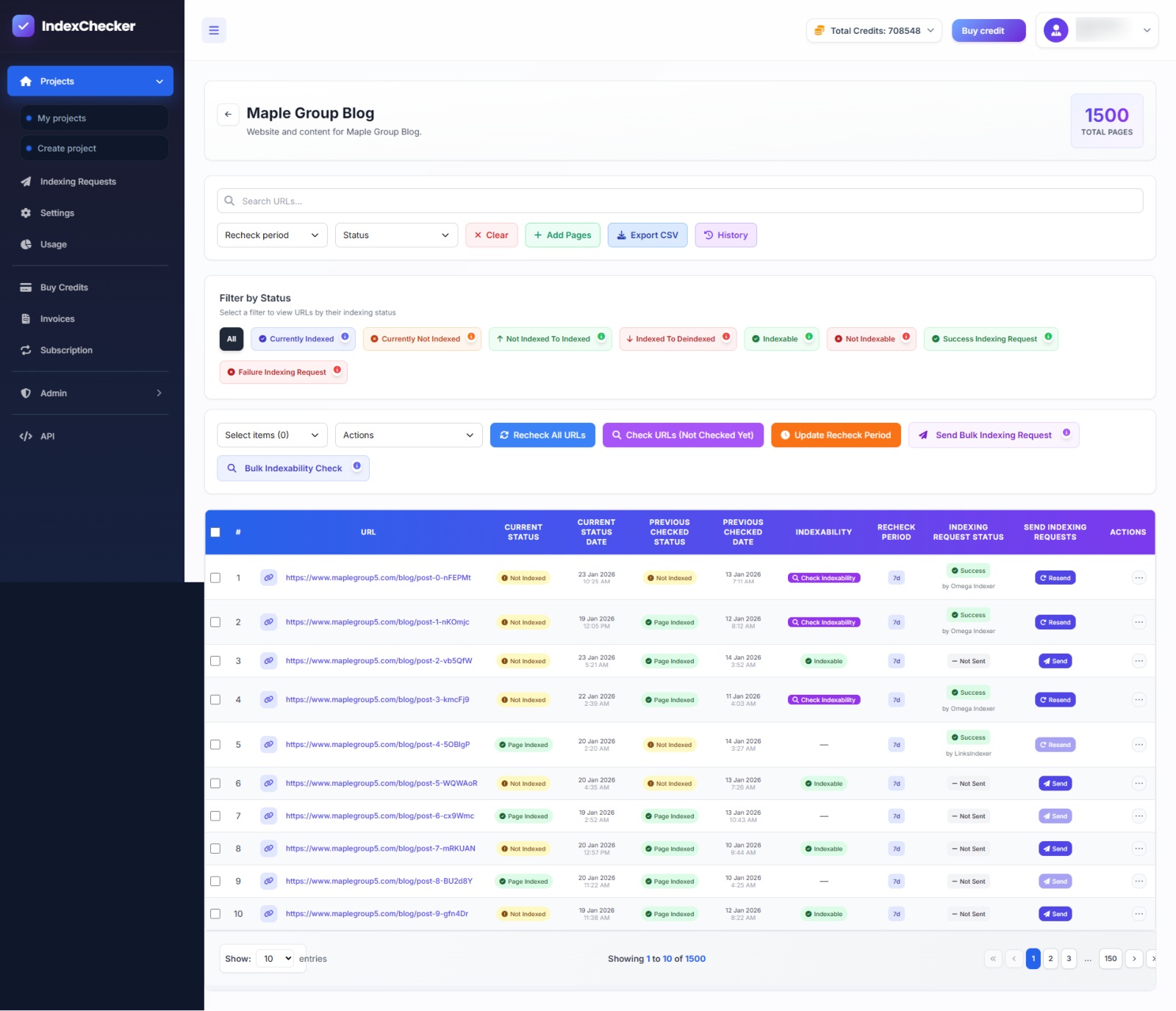
Filters & Monitoring

Take full control of your SEO workflow with advanced filtering and monitoring tools inside IndexChecker.io. Easily sort and segment thousands of URLs by precise status categories including Indexed, Not Indexed, Pending, Checking, Failed, and Needs Retry. With multi-select filters and instant filter chips, you can drill down into exactly the URLs that matter, whether you are diagnosing indexing issues, tracking progress, or prioritizing urgent fixes. This eliminates manual scanning and helps you focus your time on actions that actually move rankings forward.
Create and save custom views to monitor different projects, pages, or indexing conditions at a glance. Switch between saved filters instantly to track improvements, identify recurring problems, or review recent changes across multiple projects. Bulk actions like re-checking, retrying failed URLs, or organizing pages allow you to manage large-scale SEO operations efficiently. By keeping your monitoring structured and actionable, IndexChecker.io helps you maintain a clean indexing strategy and respond faster to search engine changes.

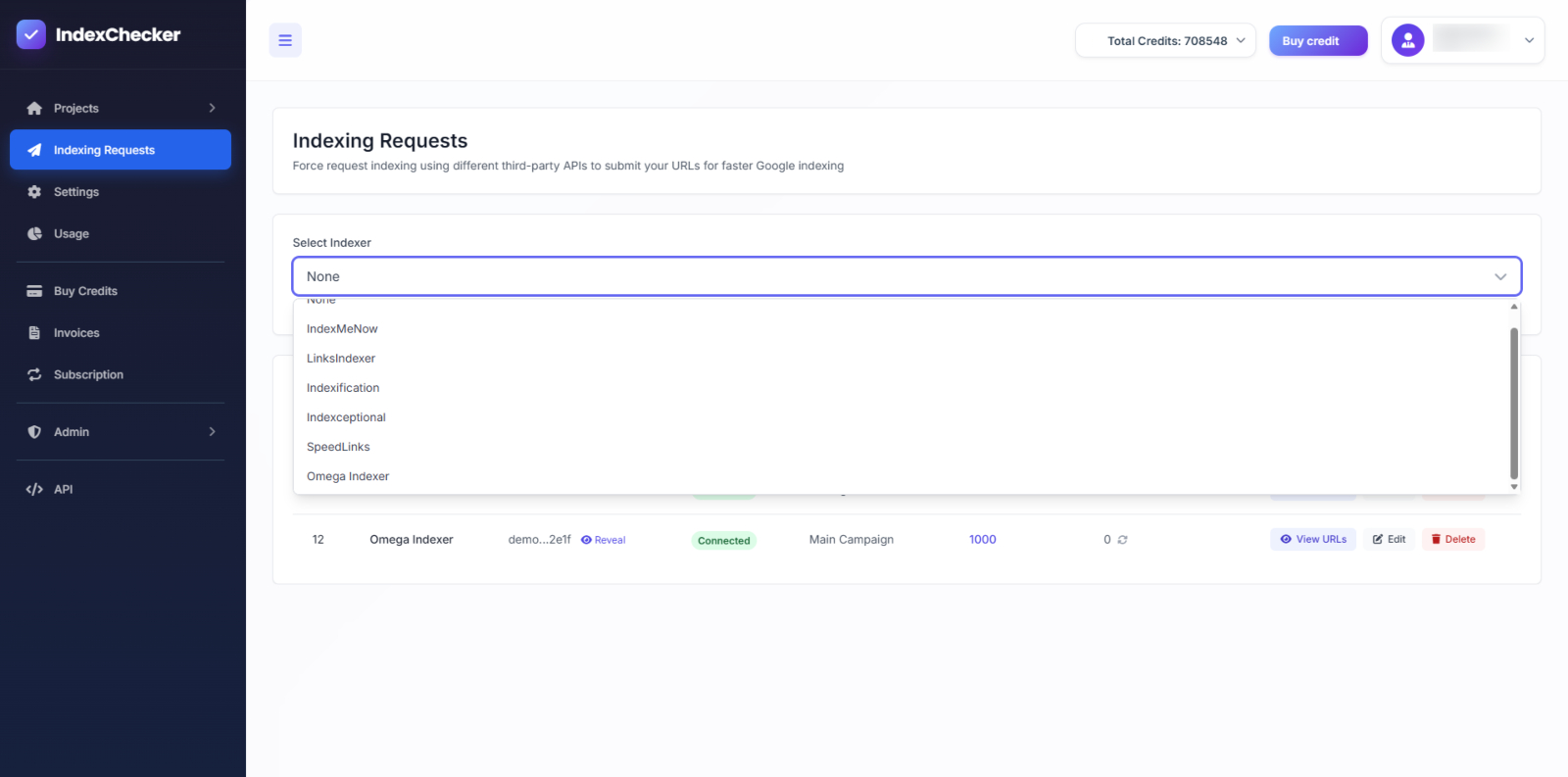
Indexing Requester

Send indexing requests and track results by Indexer API provider to see exactly which tool handled each submission and how it performed. Filter and review indexing activity for IndexMeNow, LinksIndexer, Indexification, Indexceptional, SpeedLinks, and Omega Indexer, including submission status, response logs, timestamps, and error messages. Quickly identify failures, retry with a different provider, and compare performance across tools to optimize both indexing success rates and credit usage.

How Our Index Checker Tools Work

Effortlessly check your website’s indexing status with our user-friendly index checker tools in three simple steps.

1. Enter Your URL or Domain

Simply choose a template from available list to write content for blog posts, landing page, website content etc.

2. Click 'Check Index Status

Hit the 'Check Index Status' button, and our tool will instantly retrieve the indexing data from Google.

3. Review Indexing Results

Get detailed results showing if your page is indexed, plus actionable insights to improve non-indexed pages.

Why Is Indexing Important?

Indexing is a critical part of search engine optimization (SEO) because it determines whether your website can be found by search engines like Google. If your pages aren’t indexed, they won’t appear in search results, meaning potential visitors won't be able to find your content. Ensuring proper indexing helps improve visibility, increase organic traffic, and boost your overall SEO performance.

Watch How It Works

Watch our quick video to see how simple it is to check, organize, and monitor your site’s indexing with IndexChecker.io.

What Our Users Say

Real users share how IndexChecker.io simplifies website monitoring and boosts SEO.

Frequently Asked Questions

Find quick answers to the most common questions about IndexChecker.io.

What is an Index Checker Tool?
An Index Checker Tool helps you determine whether your website pages are indexed by search engines like Google. If your pages are indexed, they can appear in search results.
How does indexing affect my website’s SEO?
Indexing is critical for SEO because only indexed pages can show up in search engine results. Properly indexed pages allow search engines to rank your content based on relevancy and quality, which can lead to higher traffic.
How often should I check if my pages are indexed?
It’s a good practice to check your website's indexing status regularly, especially after adding new content or making significant changes to existing pages. This ensures that all your important content is visible to search engines.
What should I do if my pages are not indexed?
If a page is not indexed, ensure that it doesn’t have any “noindex” tags and that it's not blocked by your robots.txt file. Submitting your pages to Google Search Console can also help speed up the indexing process.
Can I check multiple URLs at once?
Yes, our Index Checker Tool allows you to check multiple URLs at the same time, saving you time and helping you monitor your entire website’s indexing status efficiently.

Ready to Unlock Full Indexing Power?

Take your website monitoring and SEO strategy to the next level with IndexChecker.io. Pick a flexible pricing plan that fits your workflow, manage unlimited projects, and access all our premium features. Start today and see the difference real-time indexing insights can make for your business.