Do you know how to tell search engines the correct page to index? This article explains how to do so to avoid issues that can jeopardize your SEO efforts.
Allowing search engines to decide the version of a page to index can create unpredictable outcomes for you. It can cause crawl budget wastage, weaken search rankings, and even dilute link equity. Search engines might index the wrong version of a page when left to their own devices.
Here, we explained how to tell search engines the correct page to index using practical SEO signals. Read on!
What It Means to Tell Search Engines the Correct Page to Index
Note the URLs below:
- http://businessname.com/page
- https://businessname.com/page
- https://businessname.com/page
- https://www.businessname.com/page?utm_source=twitter
To a visitor, all four pages are the same. They belong to the same website and would load the same content on a browser.
Search engines don’t see it that way. To search engines, all four pages are different. Thus, they will be evaluated, indexed, and ranked separately.
Now, what’s the “correct page to index?”
The correct page is the content’s canonical version – that one URL that represents the content for indexing, ranking, and authority consolidation.
Search engines don’t know which page you consider authoritative or the right one. It’s your duty as the site owner to let them know the page you consider the correct one. Otherwise, the search engines will make that decision for you.
Understand that search engines are highly advanced and can help you choose a canonical page automatically. But the challenge is that such processes are usually imperfect and risky.
Core Signals That Tell Search Engines The Correct Page To Index
Search engines use diverse signals to determine the correct canonical page to index. Let’s walk through them.
1: 301 redirects:
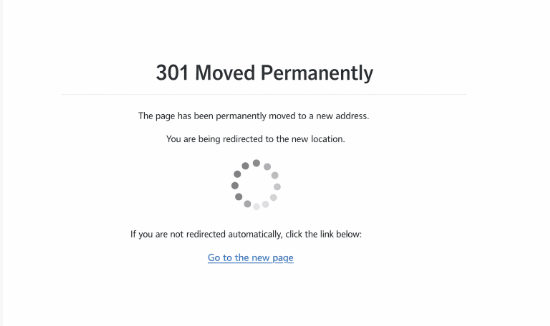
Of all the signals that help search engines determine the correct canonical page to index, the 301 redirect is the strongest.
Why is it the strongest? It’s the most authoritative way to tell search engines to replace one URL with another.
For example, when changing from www to a non-www URL, you need the 301 redirect to inform search engines of the changes you’re making.
When used correctly, 301 redirects can ensure:
- Link equity is successfully transferred from the old URL to the new one.
- The old URLs are removed after a while.
- The destination URL turns into the primary canonical URL version.
Pro Tip: Choose your preferred canonical page and redirect all alternate versions to it.
In other words, if you chose https://www.businessname/page as your destination page, redirect the others to this one single page.
Allowing others to exist can create duplicate content issues, waste crawl budget, split link equity, and lower rankings.
2. Canonical tags usage:
Another way search engines determine the correct page to index is via the canonical tags:
When similar or duplicate pages exist, you can use the <link rel=”canonical”> to tell search engines the page you want them to crawl and index.
Understand this: canonical tags aren’t commands. They are merely hints that tell search engines which pages you would like them to crawl and index.
Because canonical tags are hints, it’s essential to support them with other signals.
The importance of canonical tags becomes evident when:
- Redirects aren’t possible
- You want more than one URL to exist for specific reasons
- Filters or parameters create duplicates
3. Consistent internal linking:

The internal linking structure is among the signals that can tell search engines which pages to index. Aside from determining a page’s canonical preference, strong internal linking helps search engines understand a page’s importance.
URL best practices:
- Use the same URL variant throughout. If you’re using www, stick to it.
- Link internally to the canonical version
- Use the correct URL for breadcrumbs, navigation, and contextual links.
4. Sitemaps:
Sitemaps are another core signal that tells search engines which URLs you consider essential and prefer to index. That’s why it’s vital to have sitemaps. They make a website a breeze to navigate, crawl, and index.
Below are the rules for creating sitemaps.
- Use only canonical URLs
- Avoid redirects and duplicates
- Keep sitemaps consistent and clean
5. Content uniqueness and completeness:
Search engines can choose when multiple pages exist. They can undermine your canonical tags to choose a page with the most complete and unique content, especially when they consider canonical pages weaker.
So, if you have multiple pages, don’t be surprised when search engines decide to go for the page with:
- The most complete content
- Higher backlinks and internal linking signals
- Better formatting
- More user engagements
How To Tell Search Engines the Correct Page to Index
You can tell search engines the preferred page to follow by eliminating ambiguity.
Follow the steps below to point search engines to the page you want them to index.
Step 1: Identify duplicate URLs:
The first step to eliminating ambiguity is to identify the duplicate URLs and separate them. The website auditing involves:
- WWW vs non-WWW
- HTTPS vs HTTP
- Trailing or non-trailing slash
- Paginated versions
You can eliminate ambiguity when you know the different variants. That’s something you can achieve with a careful audit.
After identifying the variations, move to the next step.
Step 2: Identify your preferred canonical URL:
Avoid duplicate content, split link equity, and related issues by choosing a single URL version.
- Choose one URL
- Choose one format and version.
The URL you chose should remain permanent. Use it throughout the website.
Step 3: Use 301 redirects:
Use the 301 redirects where needed. Direct the non-canonical URLs to the canonical version.
This basically includes:
- Old URLs
- Removed parameters
- Legacy structures
- Alternate protocol versions
Step 4: Deploy canonical tags:
This step is simple. All you need to do is ensure all the canonical pages have a canonical tag pointing to it.
When used appropriately, canonical tags help confirm not only your preference but also others’. They also:
- Reinforce other signals
- Help you prevent accidental duplications
Step 5: Fix internal links:
The fastest way to destroy a page is to use internal links with diverse URLs. Google hates it.
Standardizing internal links helps improve indexing.
This step is also simple. All you need to do is ensure you use the same canonical version in your internal links. Don’t mix URLs.
Use the same canonical version for your internal links.
This includes:
- Footers
- Menus
- Pagination
- Blog links
- Related content section
Step 6: Fix your sitemaps:
Sitemaps offer more than just easy navigation; they help search engines identify your most important pages and improve indexing speed.
Sitemaps give search engines a clear roadmap of your website’s content. Thus, using mixed URLs would only lead to confusion.
Here’s a quick and easy way to fix sitemaps:
Get rid of every non-canonical URL. After cleaning the sitemap, resubmit it to Google via the Google Search Console.
Step 7: Validate via Google Search Console:
The Google Search Console is a vital tool for inspecting URLs and tracking indexing reports.
However, for bulk indexing, SEOs use tools like IndexChecker.io for monitoring and reporting. It can check and monitor indexing and send a notification when issues arise.
In the Google Search Console, you can do the following:
- Inspect your URLs
- Track indexing reports
- Check “User-declared” vs “Google-selected” canonical.
The aim is to ensure Google chooses the canonical you declared, rather than the one it automatically selected.
Conclusion
We just discussed how to tell search engines which page to index. The simple answer is to eliminate ambiguity.
Indexing speed improves when a website uses a single URL and has no contradictions. All signals are pointing in the same direction.
The Google indexing is more efficient and faster when Google knows the page to crawl and index. We explained the steps you can take to help search engines determine which page you want them to index.
FAQ’s
1. Can internal links influence the page Google indexes?
Yes, it can. Internal linking is a powerful canonical signal that can determine which page Google indexes. If the majority of your internal links are pointing to the non-canonical version, search engines may ignore your request to index the canonical version and index the wrong page.
2. Can I use canonical tags on every page?
Yes, use canonical tags in every page you want Google to index. Doing so will help reinforce page authority and help prevent duplication.
3. What’s the strongest way to instruct Google on the preferred page to index?
The strong signal is to use the 301 redirect from the non-canonical to the canonical page. Redirects also help in signal consolidation.
4. Can canonical tags alone control indexing?
No, canonical tags alone can’t influence indexing, particularly if other signals contradict them. They are most effective when you have a clean sitemap, proper redirects, and internal links.