Does Google Index Subdomains? Everything You Need To Know
When it comes to subdomain indexing, one question website owners, marketers, and SEOs commonly ask is: Does Google index subdomains?
Subdomains are popularly used for mobile applications, blogs, and support portals. They are prefixes added to the primary domain name.
Here, we explained how Google treats these domains and shared other helpful tips to improve your subdomain’s crawlability, indexing, and ranking. Read on!
Does Google Index Subdomains?
Yes, Google indexes subdomains. It views and treats them as separate property from the main domain.
Google has been clear on how it treats subdomains from the beginning. The search engine heavyweight has made it clear that:
Subdomains can be crawled
Subdomains are indexable, provided the page content meets the required standards.
Subdomains can rank in search engines, provided the page’s content is worthy of ranking higher than existing pages.
While Google does index subdomains, there are several things it doesn’t and has made it clear that it won’t do.
Google doesn’t transfer crawl priority, authority, and trust signal from the primary domain to the subdomain. It doesn’t matter the importance or age of the subdomain.
Google rewards hard work and results. So, your subdomain must earn its own indexing and ranking based on merit. So, erase any idea that you’re creating a subdomain to benefit from your established primary domain’s authority and trust signal.
Google sees a subdomain as a different domain from the main domain. That’s the same way it treats the different URL versions on a website.
What Are Subdomains?
We have been talking about subdomains without providing a clear definition of what they are. Now, let’s define subdomains before focusing on indexing.
Subdomains are prefixes you add to the main domain, called the root domain.
Why are subdomains used?
The reason for using subdomains is to organize and separate your content.
Subdomains function as different parts of the website. Most marketers and website owners create subdomains to serve different audiences or test features.
Subdomain creation allows website owners to categorize their websites. Proper categorization makes it a breeze for search engines and users to navigate different sections of the website, such as blogs, shops, and a support portal – all in a single domain.
Here are examples of subdomains:
businessname.com
businessname.com
businessname.com
businessname.com
Google treats a subdomain as a separate property from the main domain. That means the activities of the primary domain don’t influence how the search engine crawls, indexes, and ranks the subdomain.
Subdomain Discovery: How Google Does It
The first thing we need to get very clear about is that Google treats subdomains the same as the primary domain. Even though it treats subdomains as distinct entities from the main domain, it won’t lower its standards when dealing with them.
Google follows the same process for discovering, crawling, indexing, and ranking any website’s subdomains.
Google discovers new or updated content through:
XML sitemaps
Internal links added to the primary domain (add links to pages of the primary domain that are already getting massive
Backlinks from other external sources
Manual URL submission on the Google Search Console
Note this: Google can still discover your subdomain even without internal or external links. The only issue is that you may have to wait longer for the search engine to discover your subdomain.
Building solid internal and external links will help Google discover your subdomains faster. It makes crawling and indexing of subdomain content (new or updated) much quicker.
Ensure your internal links point to pages that receive a reasonable amount of traffic. Use internal links to drive traffic from your high-traffic primary domain pages to your orphan subdomain pages.
Use this strategy to get your new and low-traffic pages discovered, crawled, and indexed faster.
Strong internal linking between the primary domain and subdomain can help both pages to share page authority. It doesn’t just happen automatically.
Signals Google Analyzes Before Indexing Subdomains
Google doesn’t and would never lower its standards or abandon its policies when evaluating subdomains for indexing. Both subdomains and main domains are evaluated the same way.
The signals Google considers when evaluating subdomains:
Topical relevance
Canonical tags
Page speed
Page experience
Mobile-friendliness
Internal linking structure
Duplicate content signals
Content depth and uniqueness
Pro Tip: Google may ignore content copied from the main domain and uploaded to the subdomain. Ensure content uploaded to subdomains is unique, in-depth, and meets the criteria needed to be indexed and rank high in search engines.
Understand one thing: Google will scrutinize any content you turn in for indexing. The search engine will scrutinize your content based on its already existing policies and signals.
Before ranking your content, Google will evaluate it against your competitors. If yours is better, the search engine will ensure it occupies the position it deserves on the search results page.
Subdomains Indexing Failure: The Key Reasons
Subdomains can be accessible but experience indexing failure. What causes Google indexing of subdomains to fail?
Check them out below and note the things you aren’t doing right:
Internal linking problem (zero internal link from the main domain pointing to the subdomain)
Googlebots prevented by robots.txt can cause indexing failure
Duplicate content issues across domains can impact crawl budget, split link authority, and hamper trust signals. All these can make indexing impossible.
Thin content can hamper Google indexing. The search engine heavyweight wants in-depth, unique, and helpful content.
Noindex tags or headers can cause Google indexing failure
Other factors that can make Google’s indexing of subdomains unsuccessful include inconsistent HTTPs setup and poor server performance. The latter is an external factor, but it can have a significant impact.
Subdomain Indexing Best Practices
Here are the steps to take if you want to ensure Google indexes your subdomain and it stays that way:
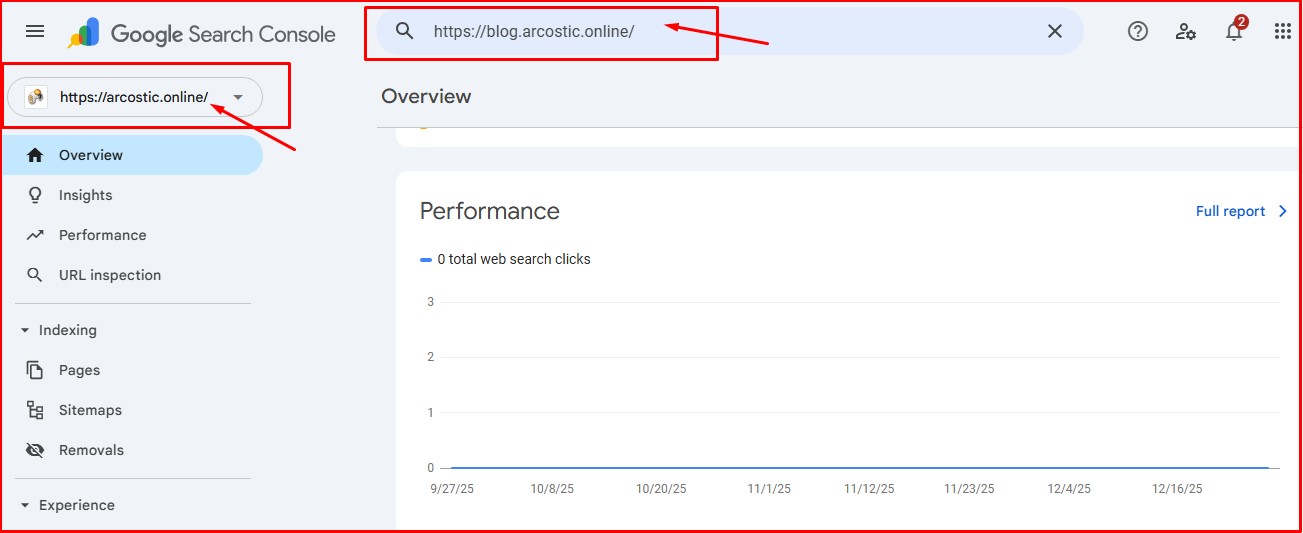
Add a subdomain as a separate property. You can do this in the Google Search Console.
Create and submit a dedicated Understand that a sitemap makes it easy for users and search engines to navigate your website.
Monitor URL indexing consistently.
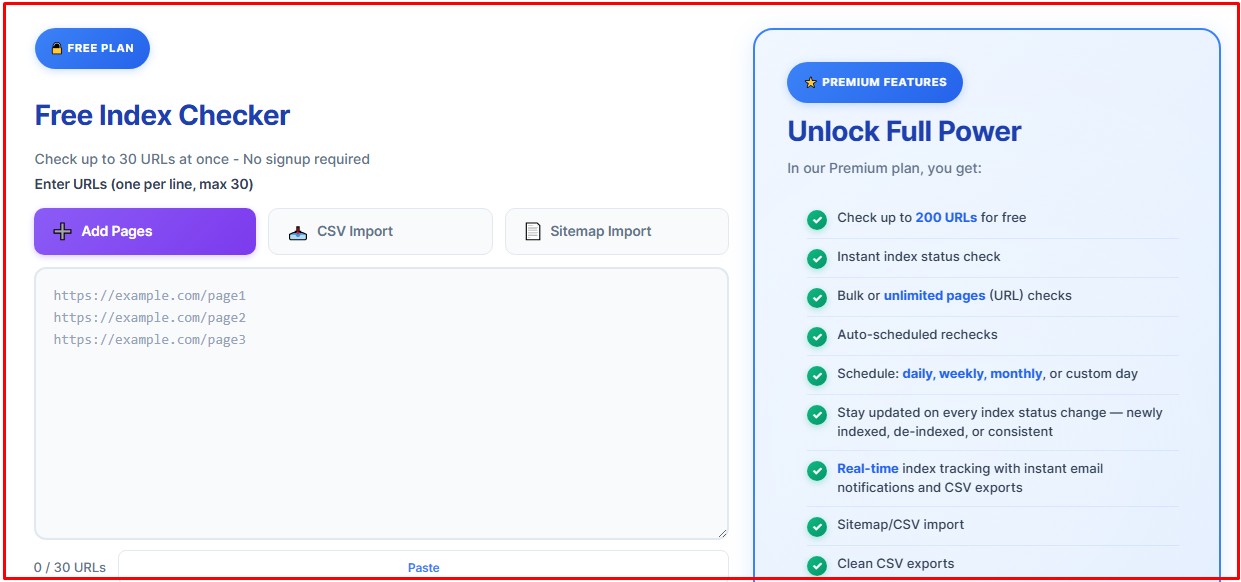
Many website owners and marketers are now embracing index-checking tools to check and monitor URLs. These tools allow users to manage thousands of URLs, and deliver reports when issues like de-indexing occur.
IndexChecker.io is one of the index-checking and monitoring tools gaining traction for its usability and features.
Subdomain indexing takes about the same time as the primary domain. The search engine follows the same processes and treats both domain types equally.
Different factors influence Google indexing speed. This can range from domain age, content, quality, internal linking, page authority, and even technical SEO factors.
This is how long Google indexing of subdomains can take:
A few hours to weeks for established subdomains
Days to weeks for a new subdomain with new content
Adding links (internal and external) will help your subdomain be discovered faster, improving crawl and index speeds.
It might take longer to index a page without internal links. Google might even ignore the page.
Conclusion
That’s the answer to the question: Does Google index subdomains? The short answer is yes, Google does.
Google treats subdomains as separate entities from the primary domain. Additionally, understand that Google treats subdomains the same as primary domains. The search engine giant uses the same methods and policies when crawling, rendering, indexing, and ranking subdomains.
Subdomains don’t share authority with the main domain. They must earn authority and trust on merit.
FAQ’s
1. Does Google automatically index subdomains?
No, Google doesn’t. It uses the same strategy it uses when indexing any website. It crawls, renders, and indexes a page before. Adding internal and external links and ensuring the content is high-quality are among the steps you can take to improve indexing speed.
2. Are separate sitemaps needed for subdomains?
Yes, create a sitemap for your subdomains. Google treats subdomains as separate properties from the main domain. That means it crawls, indexes, and ranks the subdomains differently. Create sitemaps for each subdomain to improve discoverability, crawlability, and indexability.
3. Does Google treat a subdomain as a new website?
Yes, Google does, particularly with respect to crawling, indexing, and ranking of the subdomains. The subdomain doesn’t share authority with the primary domain because Google treats them as separate properties.
4. Can Google deindex a subdomain?
Yes, Google can. Google can deindex any domain, whether a subdomain or the main domain. Deindexing usually occurs when compliance or quality issues arise.
5. Can you monitor subdomains on Google Search Console?
Yes, you can monitor your subdomain on the Google Search Console and fix any issues that arise. With GSC, you can manually monitor your subdomain, which isn’t an easy task. That’s why most website owners prefer automated index-checking tools like IndexChecker.io, which can monitor thousands of URLs and send notifications when indexing issues arise.
Denounce with righteous indignation and dislike men who are beguiled
and demoralized by the charms pleasure moment so blinded desire that
they cannot foresee the pain and trouble.