Has the question “how does Google indexing work” ever crossed your mind? It should if you’re a website owner or SEO professional.
With over 189,815 searches taking place on Google every second, and the fierce ranking battle website owners face, questions about how Google indexing work will forever be relevant to anyone who wants their content visible online.
In this guide, we explained what Google indexing is, how it works, and other things you need to know. Keep reading for more details.
What is Google Indexing?
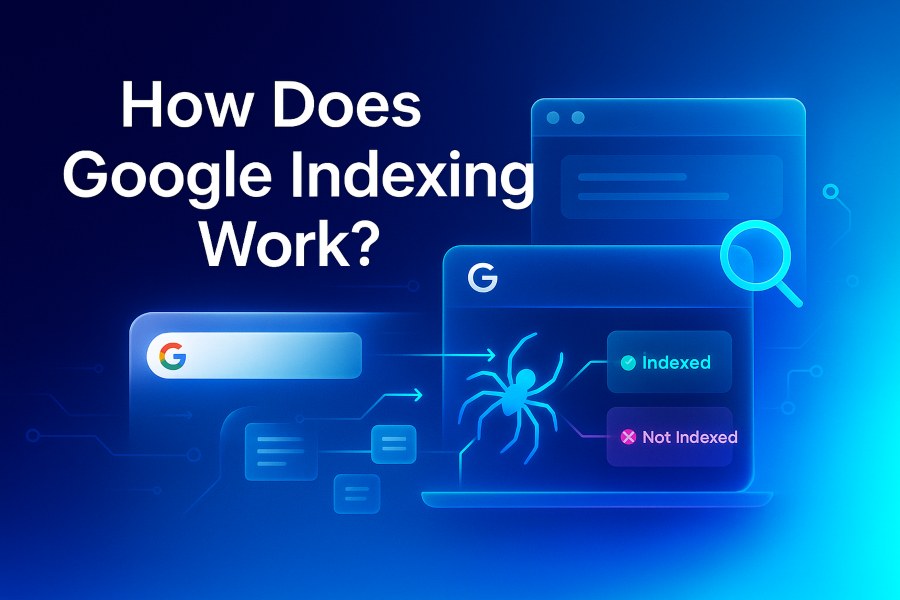
Google index is a process whereby Googlebot identifies and crawls a webpage, and adds it to its giant digital library, called the Google Index.
Think of the Google Index as a bookshelf. You will find only books kept on the bookshelf.
Google only displays content stored in its giant digital library. When users enter a keyword in the search bar of their browsers, Google search engine searches through its massive database and displays results (content) that matches the search term (keyword or search phrase).
Now, have this at the back of your mind:
Google won’t display on the search content it didn’t index. That means if Google doesn’t index your page, it won’t appear in search results for relevant keywords.
How big is the Google Index (digital library)?
The Google Index size is massive. We’re talking about over 100 million Gigabytes.
In 2020, Google’s VP of search, Pandu Nayak, commented that Google has a web index of over 400 billion documents. So, the Google Index is a huge digital library.
How Does Google Indexing Work?
Google indexing involves a series of steps, each crucial for the visibility of the content made available for indexing. They include:
- Crawling
- Rendering
- Indexing
- Ranking
Let’s discuss each of the above processes.
Step 1: Crawling
Crawling is the first stage. It’s like visiting a library in search of a book (new content) or updated copies of the book (updated content) you have once read.
In Google’s case, the search engine uses crawlers most notably “Googlebot” to surf the web in search of brand new or updated content. They follow links from one page to another trying to scan and gather information about each website.
Googlebot is always busy. It works round the clock, looking for new or updated content to add to its digital library.
Here’s a summary of how Google crawls a web page:
Note, “Page Discovery” is the first phase. Googlebot scans the web in search of new and updated content. Google can discover a page via:
- Internal links placed on already indexed pages
- XML sitemaps submitted via Google Search Console
- Backlinks (external links) from other websites
- URL submitted manually for indexing purpose
Discovery can be unsuccessful if a page doesn’t have internal or external links and you don’t submit the URL manually.
Once Google discovers a page, here is how it crawl it:
The Googlebot will:
- Request the web page’s URL
- Read the HTML, CSS and JavaScript
- Fetch resources, such as images and scripts
- Evaluate server response code
- Perform a robots.txt and meta directives checking
Step 2: Rendering
Google kick-starts the rendering process after crawling is complete. During this period, it processes the website’s HTML, CSS, and JavaScript.
What’s Google’s reason for rendering?
The reason is to understand the context of your content and website layout the way every user does. The rendering involves processing your videos, images, and other interactive layouts.
Step 3: Indexing
Indexing is a crucial stage. That’s because of the limited crawl budget your website probably has (high-authority and established websites have a higher crawl budget).
Google can crawl and render a page, but decide against indexing it. It can happen to any website.
Unfortunately, if Google doesn’t index your URL (store it in its digital library) there’s no way it will appear in the search engine result.
During the Google indexing phase, the search engine evaluates your text, images and videos. It checks for duplicates and uniqueness of your content.
Google’s aim is to ensure content indexed is valuable to users. That’s why it uses several criteria to evaluate and judge content.
Google can use technical SEO factors like meta tags, internal linking structure, sitemaps, backlinks, and others to evaluate a page. After analyzing your content, Google will only add it to its index if it meets its standard.
If your content doesn’t meet Google’s quality standard, it will crawl, render, and not index it. So make your content indexable. Google is seeking quality. Focus on creating high-quality content that Google can’t resist.
Step 4: Ranking
If you’re in step 4, it means Google has indexed your URL. The fact that Google has indexed your URL means your content can now start to appear in the search engine result for relevant keywords.
Now, here’s the hidden truth:
Google can crawl, render and index your content, but it won’t rank it. Indexing doesn’t mean your content will start appearing in the search engine result page (SERP) automatically.
When a user searches the web with a keyword (search phrase), Google goes through its index (giant digital library) and displays the pages that match the user’s search intent.
Google places huge emphasis on quality and value. So it will display the content that is most high-quality and useful to the searcher.
Google has over 200+ ranking factors it considers when deciding where to place indexed pages in the search engine result.
Check out 10 top-rated Google ranking factors that can improve your page’s ranking in the search engine result.
- Content quality
- Backlinks
- Domain authority
- Website loading speed
- Mobile-friendliness
- Keyword optimization
- Website security
- On-page experience
- Website structure
- Search intent and content relevance
What Makes Google Indexing Relevant?
Google indexing is crucial because without it, you’re the only one that knows the content you wrote and published on your website exists.
What does this even mean?
It means, your content isn’t visible to others whom you consider your target audience.
Indexing means Google has added your content in its digital library. That means anyone that searches with a relevant keyword might likely stumble on your content.
Every website owner needs to work hard to get their content indexed.
Statistics shows why Google indexing is so relevant to business success:
- Google holds around 90% of the search engine market share, making it the world’s largest search engine.
- Over 8.5 billion searches are conducted on Google every single day. Your potential clients are probably looking for products or services like yours daily.
- 93% of all internet searches and activities start with a search engine.
How Competitive Is Google Indexing?
Getting Google to index a page is highly competitive. A 2025 study conducted on 16 million webpages shows that around 61.64% of the pages weren’t indexed.
What does that mean?
It means the over 16 million website owners wasted their time and resources in writing a piece of content that their intended target audience will never get to see.
Proper Google indexing is important. However, proper Google indexing in this context is when you make your content indexable.
Google can’t resist your content because it’s unique, high-quality, relevant and meets all the requirements needed for proper indexing.
Key Difference between Google Indexing vs Ranking
Google indexing and ranking are two separate processes. However, indexing comes before ranking.
The fact that Google indexed your page doesn’t mean it will automatically start ranking in the search engine result page. Google will still re-evaluate the page using its numerous ranking factors.
Now, understand this:
- Indexed but not ranked: Google can index your page but it won’t rank it.
- Indexed but no traffic: Google can index your page but you won’t get traffic.
Pages buried deep in the search engine don’t get reasonable traffic. Most of these pages don’t even get single traffic until they start to rank.
Conclusion
So, how does Google indexing work? We have explained the four steps in detail. The first stage is the crawling stage. Google discovers the page and starts crawling it. The other three stages include rendering, indexing and ranking.
Indexing means Google has added your content in its digital library. That means your content may likely appear in the search engine result page for relevant keywords. However, keep in mind that indexing doesn’t mean you’ll rank or appear in the search engine result.
Publish quality content, submit your sitemap and follow other tips highlighted in this post to make Google indexing and ranking easier. You should also endeavor to monitor your page’s ranking consistently once indexed as Google can deindex a URL at any given time. You can use tools like IndexChecker.io to check and monitor thousands of URLs from a single dashboard.